
A Moment in Time
A VR Narrative exploring memory, presence, and perspective
Overview
Designed and developed an immersive VR experience exploring how spatial storytelling can foster empathy by allowing participants to experience a world where they can listen to a person's spoken words and their private thoughts. Built with a production pipeline that combined 3D & 4D Gaussian Splatting in Unreal Engine. The project investigated how emerging production workflows can transform familiar spaces into emotionally resonant, embodied storytelling experiences.
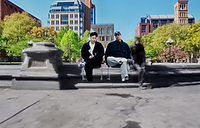
This is a 360 video of me walking around Washington Square Park with a 360 camera.
Central Question
How can Virtual Reality create a deeper sense of presence and reflection?
The Experience
Enter
Choose
Observe
Listen Beyond
The participant enters a virtual space and is presented with two seemingly ordinary moments, each offering a different perspective to explore.
By physically stepping into one of the scenes, they transition into an intimate moment frozen in time.
Within the environment, participants are free to move through the space, witnessing conversations as silent observers and piecing together each character's story through dialogue and environmental details.
At any moment, participants can shift from hearing spoken conversations to hearing the characters' inner thoughts, revealing the contrast between what is expressed outwardly and what remains unspoken.


Video Trailer
Process
Experimenting 3DGS - Environment
For the first gaussian splats experimentation, I tried to create my own dataset using images, which I then proceed to process them in Postshot.
For the image dataset, while also trying to provide sufficient data, I captured a photo and rotated about 30° each time until I ended up back in the same spot. But to also provide coverage, I also then repeated the same steps twice, by tilting the camera up then down respectively.
I then sent these images into Postshot for processing, and after some wait, here are the results:

These are the dataset images of Seward Park that I took individually
There were a few things that stood out for me based on the processing.
-
The sky is missing, which made sense to me since there is no distinct detail to them which would have been difficult to process
-
There were some floaters which I think are caused by camera misalignment. I’m not too sure how to fix them as of now, but it’s interesting how they turned out
-
It was extremely time consuming to capture individual photos that might have not have been aligned well like the image below. But reflecting on this point as well, one benefit of using individual photograph is the high resolution compared to videos. One image can have a large resolution, as compared to a video so I do wonder if the scan will have a huge difference
The screen recording is the outcome of the processing of Seward Park
I then experimented using videos, and used a software to split them into frames. To ensure I had sufficient coverage, I used a 360 camera (Insta 360 One x5) and moved around with it.
I followed this tutorial by this creator & this creator who went through their method on how they created gaussian splats and imported them into Unreal Engine. They created a tool to help streamline the process that allowed others to upload their videos and split them into individual frames, and also to split the individual frames into multiple splits. This in turn has helped to create much better coverage

These are the dataset images of created by 360 video
The screen recording is the Gaussian Splat outcome of a test I did in my office using 360 images
After the experimentations, I proceeded to record the locations that I wanted to use for my experience (i.e. Washington Square Park) and I captured the park with the 360 camera, split them into frames, and split each frames into 8 parts. After that, I sent them into Postshot and the outcome was honestly looking good.

These are the dataset images that was processed before creating the Gaussian Splats
3DGS - Characters
Moving forward, I needed characters in my scene and I got the help of some friends to assist with some technical test. I got 4 GoPros & used my phone which total to 5 cameras to try and re-create a 3D scan of my friend. I recorded a short sequence with them, and I exported each of them individually for about 30 seconds. To ensure all of the cameras are in sync, I had to ensure all of them are recording in the same settings, and had my friend to do a clap so I can sync them up in post. This would help with synchronization of movements

A friend sat in for me as a I framed up the cameras
This video is one angle out of the 5, of a short sequence I recorded with my friends.


I exported 5 individual clips, like the ones above, and use a tool to split them all into individual frames which I then used to process.
Which these individual frames, I used Reality Scan to align them, but it was unable to calibrate all the camera together. After reading up a little bit more, to re-create a 3D scene, it would require more details for the program to be able to interpolate the points together to have a better idea of what the scene would look like. With insufficient data points, it came up like the screenshot on the right:

The result of the failed alignment in Reality Scan
To re-create a successful 3D photogrammetry, way more cameras would be needed. And because I’m trying to create movements, it would not be feasible to make my talent hold still while I move the camera around them - and as humans, we are bound to move.
I then came across Apple SHARP model and experimented with it. What’s caught my attention about their research is the capability to use a 2D image and turn it into a 3D Gaussian Splat. I don't really the full technicality behind how it works, but it definitely helps to develop my project. The downside is it would only re-create a 3D splat based on the image provided, which means only a 180° coverage hence the back of the characters would be empty.
This video is a render of the 3DGS processed by SHARP ML, viewed with SuperSplat
Experimenting 4DGS - Characters
Since these are individual splats, I would need to find a way to align them up in a sequence so they can play in motion. As this was a rather new technology, there aren’t many use case for this. But because a video is basically a bunch of images playing in chronological order, I could just line up individual 3DGS files and turn off and on in order. A very rudimentary method, but this would work.
I imported them into Unreal Engine cinematics and tried turning them on & off every 3 frames.

A screenshot of animating the 3DGS to create movement
The result is a very interesting, stop motion style of video. However, because all of the PLY files present in the same space the project becomes heavy and difficult to manage. This will not be viable moving forward.
I reached out to people who are also exploring 4DGS, and I contacted another graduate student from IDM (Dazai Chen). I had a chat with him about my thesis exploration and he mentioned he created a plugin that allows developers to play a sequence of 3DGS which is a great add on for my project.
A short video of the "stop motion" animation